Insight
Read Time
6m
The gap isn't governance. It's data capture
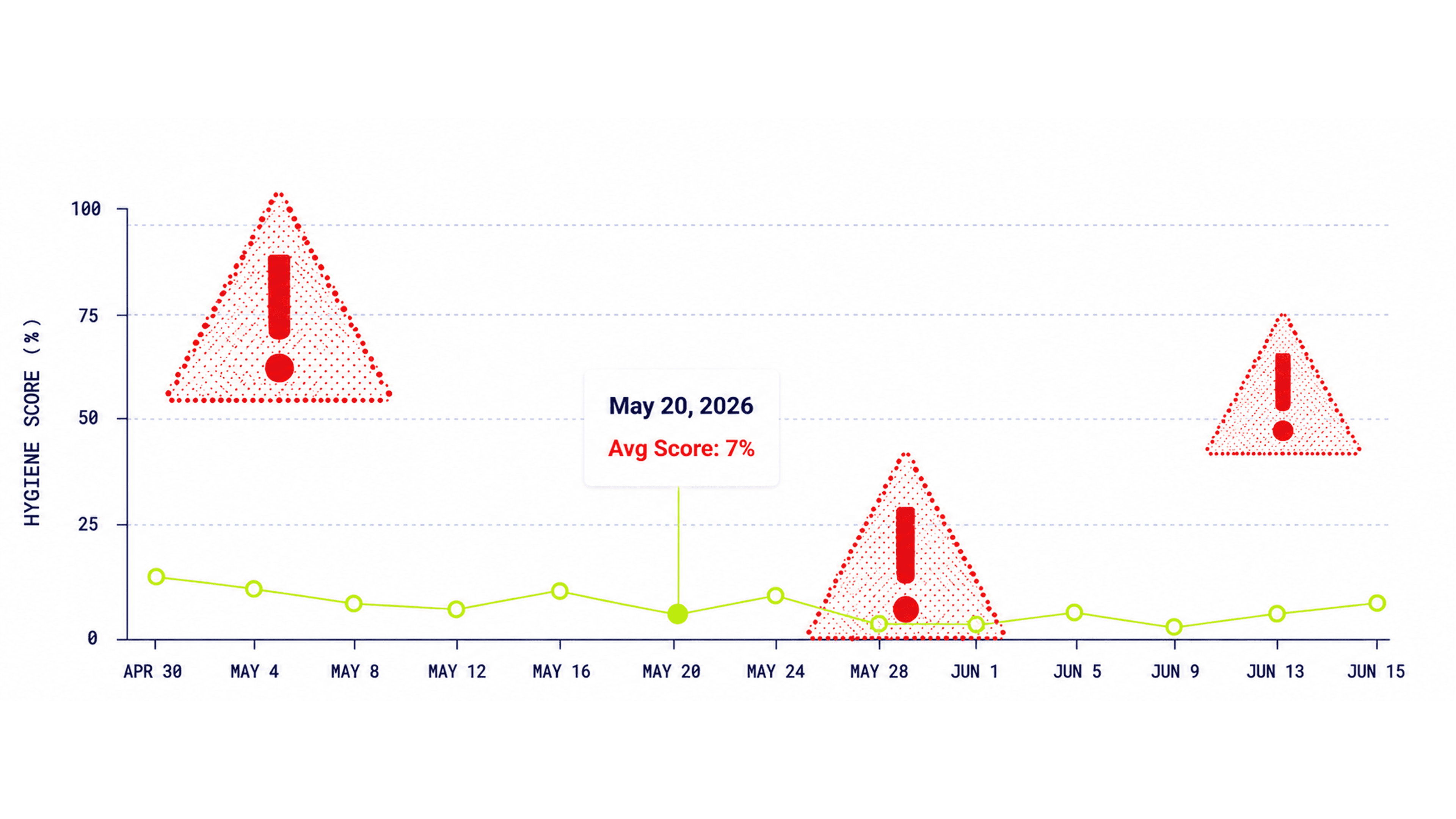
If you want to drive revenue, you need clean CRM data; it’s that simple. Yet, most sales teams are still burning weeks of prime selling time on manual data entry after calls. This "dirty data" problem is expensive, costing businesses upwards of 10% of their annual revenue, decaying by a third every year, and stealing over a quarter of a rep's working hours. Rather than a failure of leadership, data gaps happen simply because crucial conversation details vanish before reaching the CRM.
Stale state of CRM post call
CRM data gaps rarely stem from a lack of effort; they happen because the process is highly friction-filled. The data is logged from memory, days late. Reps finish a call and move straight to the next one. By Friday, they're updating fields to get a manager off their back, not because the data is accurate and a week-old reconstruction isn't what happened on the call. What gets logged can't be forecasted off. Reps dump a wall of text into a notes field instead of updating the structured fields stage, next step, and amount. You can't run analytics on a paragraph.
The real bottleneck lies in the gap between the live conversation and Salesforce. By the time it closes, the quarter's already moved, and you're defending a forecast built on what reps remembered to type. Solving this issue doesn't mean forcing sales reps to change their behavior; it requires building smart infrastructure.
Post-call data entry typically breaks down either because the call never reaches the CRM or because of field failure, i.e., the conversation is saved as a generic block of text rather than as organized data fields. Overcoming this requires automated, touchless systems that instantly turn every meeting, email, or call into structured CRM data.
Fix the capture without losing the proof.
The questions that matter once you get past the homepage
Before comparing tools, understand what separates a product that fixes CRM hygiene from one that just adds another workflow.
1. Human in the Loop Architecture
The winning approach is “Human in the loop” by design, which builds trust. Full automation removes friction entirely, but even a minor miscalculation can destroy data integrity and terrify CROs. The AI agent does the heavy lifting like drafting follow-ups, logging next steps, and proposing field updates, but everything lands in a review queue. Your reps stay in control, approving, editing, or rejecting actions in bulk or one by one. Nothing writes to Salesforce or hits a customer’s inbox without a human checking it first.
2. Deep Native CRM integration
If an AI vendor says they connect to your CRM via Zapier but to handle complex enterprise deals, the integration must be native, deep, and round-trip. It must natively support standard and custom objects, ensuring secure, type-safe writes to your existing Salesforce setup without breaking your configuration or forcing reps to learn a new system.
3. Salesforce Field updates vs Generic Transcript Dump
Most AI conversation intelligence tools stop at generating summaries or transcripts without structuring the data. An advanced platform automatically writes precise updates directly into specific CRM fields, including deal stages, budget details, next steps, and any other field you need.
4. Real-time signals
The system must be smart enough to capture external buying signals in real time, tracking leadership changes, funding rounds, acquisitions, and 10-K filings, and pulling relevant insights into a central, scored feed. It then maps those signals directly to your deal execution framework. If the AI can’t extract hard business signals from a public filing and turn them into structured methodology data, it’s just a glorified notepad.
5. Coverage across call sources
Data hygiene is an all-or-nothing game. If your automation only works on one video tool, your pipeline visibility stays fragmented. The platform must provide a built-in meeting recorder that spans Zoom, Microsoft Teams, Google Meet, and Webex. A call ends, and within minutes, the meeting is captured, the workspace is updated, and the data is synced.
6. Full Audit Trails with Clear Reasoning
Operational trust requires absolute transparency. You cannot manage a forecast using a black box. Enterprise-grade tools provide a durable, org-wide audit trail with a plain-English explanation of exactly why the AI proposed a specific action or field change. If an AE loses a deal months from now, a manager should be able to look back at the audit log and reconstruct exactly what happened and why.
7. Scalability, Security, and Pipeline Visibility
An enterprise tool must be built to meet AICPA SOC 2 and ISO 27001 compliance requirements, and to support advanced encryption. But beyond security, it has to scale your management execution.
It should give leadership a macro-level Pipeline Hygiene Score, an org-wide data-quality matrix with a row per rep, a 30-day trajectory, and a configurable rule catalog that tracks stale activity or missing close dates. This is how you move from guessing what’s in the pipeline to actually knowing.
Stop cleaning the pipeline after the quarter is gone
Most teams treat CRM hygiene as a cleanup job. A scramble at quarter end, a RevOps sweep, a spreadsheet of deals with missing fields, and a Slack message asking everyone to fix their pipeline by Friday. It is all manual, all reactive, and all of it arrives too late to matter.
Because by the time you run that cleanup, the quarter it describes is already over. You are tidying the record of a race that has already finished. The deals that slipped have slipped. The forecast you defended was built on whatever the team remembered to type in the days before the meeting, and no amount of after-the-fact tidying gives you that time back.
The fix is not a better cleanup. It is never too late to let the data go dirty in the first place. When every call, email, and meeting turns into structured Salesforce data the moment it ends, with a rep approving each change as it happens, the pipeline stays accurate on its own. There is no backlog to clear, because nothing has piled up. Your reps are not setting aside Friday to reconstruct their week, because the week logged itself as they went.
That is the shift. From cleaning the pipeline after it has already cost you a quarter, to keeping it clean while there is still a quarter to win.
A forecast you can defend
Clean CRM data and a defensible forecast are the goals. Everything above, the structured fields, the native writings, the audit trail, only matters because of what it adds up to: a number you can stand behind when the room starts asking questions.
The trap is fixing the data problem by creating a worse one. An AI loose in your pipeline, moving deals and amounts nobody approved, does not earn trust. It spends it. Katalyst was built the other way. It captures what happened on the call while it is still accurate, writes it into the Salesforce CRM you already use, and changes nothing unless a rep says yes. Every update has a reason, so months from now you can still trace why a deal moved and who signed off.
Your reps get their selling time back. Your data stays clean without anyone babysitting it. And the forecast you take into the boardroom is one you can defend line by line, not one you are quietly hoping holds.
That is the difference between guessing what is in your pipeline and actually knowing, isn't it?
